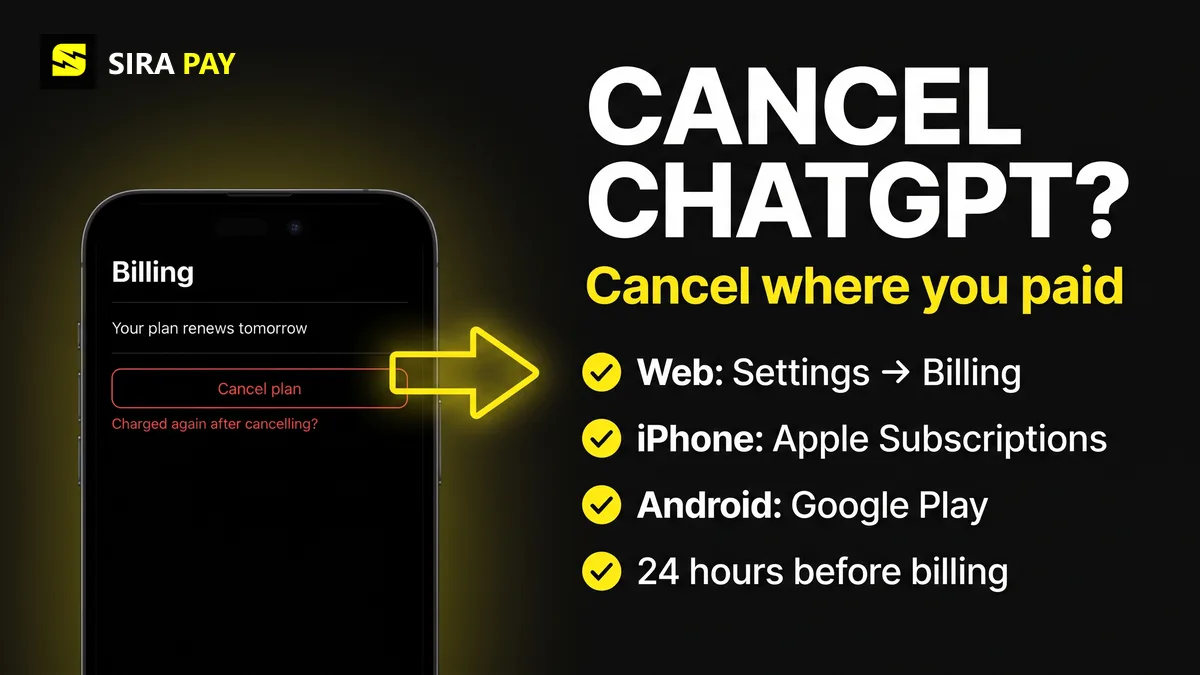
Cancelling ChatGPT should take a minute, but a lot of people get stuck: the Cancel button isn't where they look, the charge comes from Apple or Google instead of OpenAI, or a renewal arrives the day after they thought they had cancelled. The fix almost always comes down to one question: where did you pay?
This guide covers Plus, Go, Pro and self-service Business plans. The steps and refund rules come from OpenAI's cancellation help article and refund help article, checked on November 20, 2026. Enterprise and Edu plans are managed separately by your organization.
Skip the bank hassle — get a privacy-first virtual card in minutes, no forced KYC.🎁 Use code WELCOME23 for 70% off the Monthly Card, or WELCOME07 for 33% off the Yearly Card.
Get Your Virtual Card →Where to Cancel Depends on Where You Paid
A subscription bought on chatgpt.com doesn't show up in your Apple or Google Play subscriptions, and an App Store subscription can't be cancelled on the website. If you're not sure, check the receipt email: it shows who billed you.
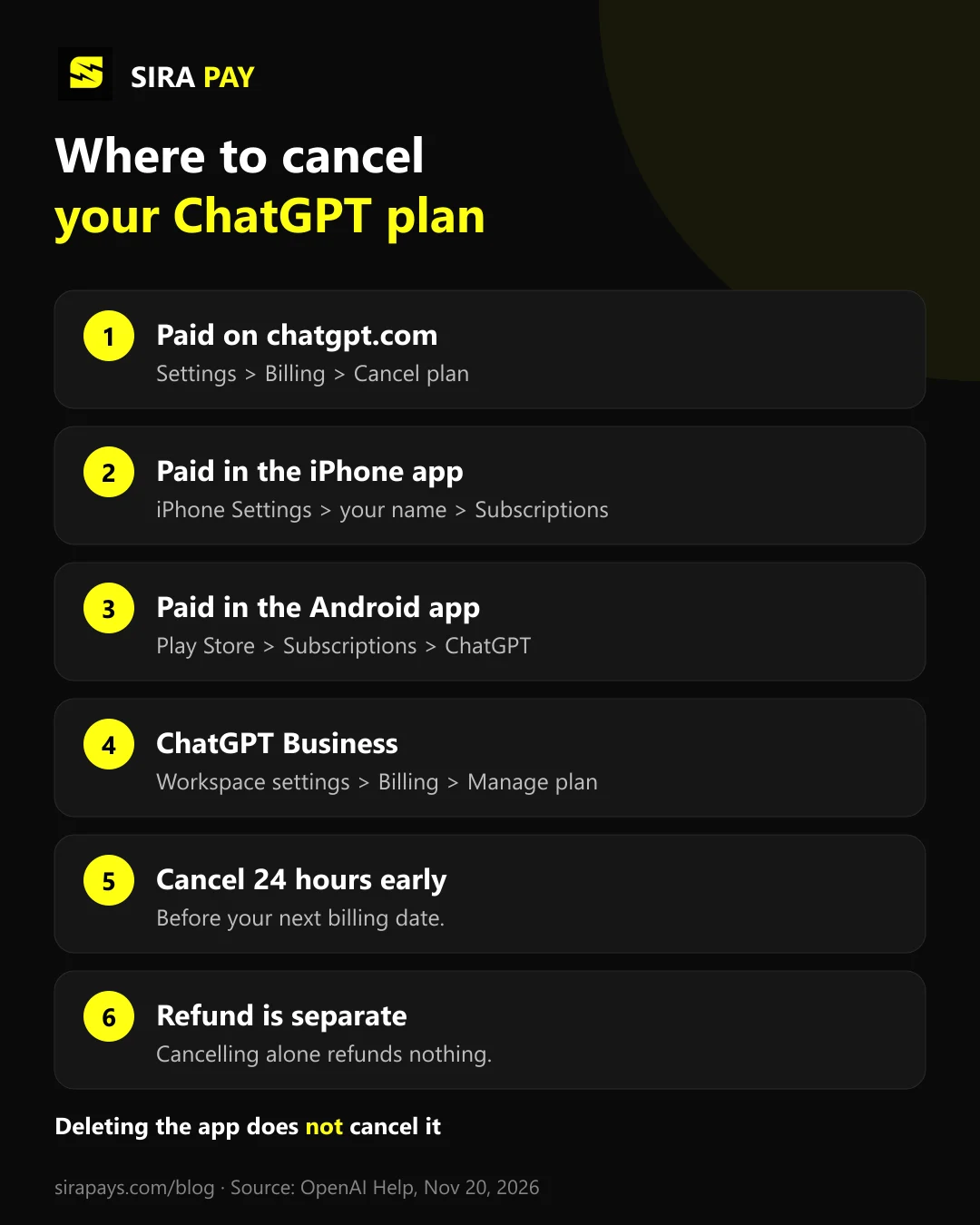
| Where you subscribed | Where to cancel |
|---|---|
| On chatgpt.com (web) | ChatGPT: Settings → Billing → under Cancel plan, select Cancel |
| In the iPhone or iPad app | Apple: iPhone Settings → your name → Subscriptions → ChatGPT → Cancel Subscription |
| In the Android app | Google Play: Play Store app → Subscriptions → ChatGPT → Cancel subscription |
| ChatGPT Business (self-service) | ChatGPT: Workspace settings → Billing → Manage plan → Cancel subscription |
Cancel on chatgpt.com (Web)
- Sign in to ChatGPT with the account that pays for the plan.
- Open your account menu and select Settings.
- Select Billing.
- Under Cancel plan, select Cancel and confirm.
If the billing controls are missing, OpenAI suggests signing in to the same account in a different browser and opening the billing settings again. Our guide to ChatGPT billing settings shows where they sit on web, iPhone and Android.
Cancel on iPhone or iPad (App Store)
- Open the iPhone Settings app.
- Tap your name, then Subscriptions.
- Tap ChatGPT, then Cancel Subscription, and confirm.
If there's no Cancel Subscription button and you see an expiration date instead, the subscription is probably already cancelled. Deleting the ChatGPT app, or even your ChatGPT account, does not cancel an Apple subscription.
Cancel on Android (Google Play)
- Make sure you're signed in to the Google account that bought the subscription.
- Open the Google Play Store app and go to Subscriptions.
- Select ChatGPT, then Cancel subscription, and follow the steps.
You can also do it on the Google Play website: open your subscriptions, select Manage next to ChatGPT, then Cancel subscription. If you can't find it, check every Google account on your phone.
Cancel a ChatGPT Business Workspace
Only a workspace owner can cancel a self-service Business plan. Open your account menu, select Workspace settings, then Billing, Manage plan and Cancel subscription. If Billing only shows a payment or reactivation screen, contact OpenAI Support from the owner account with the workspace name or ID. OpenAI also warns that if your ChatGPT Ads account depends on that workspace, deactivating it can cut off Ads Manager access without pausing your campaigns, so pause those first.
What Happens After You Cancel
- You keep access until the period ends. After an ordinary cancellation, paid features stay until the end of the billing period.
- Timing matters. Cancel at least 24 hours before the next billing date. If you cancel later than that, the next charge may already have gone through.
- No automatic refund. Cancelling stops future renewals only.
- Your account stays. You don't need to delete your ChatGPT account to stop charges. Deleting it does cancel a web subscription, but not an Apple one.
Can You Get a Refund?
Sometimes. OpenAI's rule is that payments are generally non-refundable, with these exceptions on top of any legal rights in your country:
| Who | Refund rule |
|---|---|
| Most people | Payments are generally non-refundable. For an unused individual subscription, OpenAI may give a discretionary refund if you ask within 7 days of the charge. |
| EU, UK and Turkey | A prorated refund if you cancel within 14 days of purchase. |
| South Korea | A full refund within 7 days if you haven’t used the service, otherwise a prorated refund. |
| Brazil (account and card from Brazil) | A full refund within 7 days of the charge for a first refund, then prorated for the unused period. |
| Bought through Apple | Refunds are requested from Apple, not OpenAI. |
To ask for one after a web or Google Play purchase, sign in to the ChatGPT account that was charged, open the chat on help.openai.com and request it there. OpenAI says approved web refunds are processed within 5–7 business days, and Google Play refunds within 10 business days. When a refund is granted, the paid access it covered usually ends. If you have an open payment dispute with your bank, OpenAI won't issue a separate refund.
Charged After Cancelling? Check These
- You cancelled less than 24 hours before renewal. That charge may already have been processed.
- A second subscription exists. Look for another ChatGPT account, Apple ID or Google account with its own plan, and cancel the one you don't want.
- You can't sign in anymore. OpenAI Support can cancel a web subscription if you give the account or billing email plus two billing details, such as the card's last four digits and the date of the last charge. Never send the full card number.
If you were charged but Plus never turned on, that's a different problem: see our guide on paying for Plus and still seeing the free version.
Cancelling Because Payments Keep Failing?
Some people cancel only because their card keeps getting declined at renewal. If you'd rather keep the plan, a separate card for subscriptions is often the simpler fix. SiraPay is a privacy-first Visa virtual card: you sign up with your email, with no forced KYC, no ID upload and no face scan, and the card is accepted at 150M+ merchants. People use SiraPay in 100+ countries, and you fund it with Binance Pay or crypto from any Web3 wallet.
Because the balance is only what you load, every renewal is something you decide on, and you can see each ChatGPT charge in one place. The ChatGPT Card is made for ChatGPT and other AI subscriptions. SiraPay cards are bought in the app. For current prices, Check the app
Watch it work
A real ChatGPT payment with a SiraPay card
Our step-by-step video tutorial: paying for a ChatGPT subscription with a SiraPay virtual card.
Quick Answers
Can you cancel ChatGPT Plus anytime?
Yes. You can cancel whenever you like, and your paid features stay until the end of the billing period you already paid for. Cancel at least 24 hours before the next billing date, or that renewal may already be charged.
If I cancel ChatGPT, will I lose everything?
Cancelling only stops the next renewal. Your account stays, and when the paid period ends you are back on the plan without paid features. OpenAI doesn’t say that cancelling deletes your chats, but if you rely on Projects or custom GPTs, export your data first under Settings, Data controls.
How do I cancel ChatGPT and get a refund?
Cancel first, then ask for the refund separately: cancelling doesn’t refund anything by itself. For web or Google Play purchases, sign in to the charged account and request it in the chat on help.openai.com. For Apple purchases, ask Apple. Payments are generally non-refundable, with exceptions such as a 7-day window for an unused subscription and 14-day prorated refunds in the EU, UK and Turkey.
How do I cancel ChatGPT on my iPhone?
If you subscribed in the iPhone app, Apple bills you, so cancel in iPhone Settings: tap your name, then Subscriptions, ChatGPT and Cancel Subscription. Deleting the app or your ChatGPT account doesn’t cancel an Apple subscription.
How do I cancel a ChatGPT Business subscription?
Sign in as a workspace owner, open Workspace settings, then Billing, Manage plan and Cancel subscription. If Billing only shows a payment or reactivation screen, contact OpenAI Support from the owner account with the workspace name or ID.
How do I cancel a ChatGPT free trial or free month?
The same way as a paid plan, on the platform where you started it. Cancel at least 24 hours before the free period ends so you aren’t charged for the first paid month.
Final Thoughts
Cancelling ChatGPT is quick once you know who bills you: ChatGPT itself, Apple or Google. Cancel there at least a day before your billing date, keep the confirmation, and remember that cancelling and refunds are two separate steps. Your paid features stay until the period you paid for ends.